
 Chorus
Plan → Build
Plan the song, then build it.
Ask for an arrangement. Chorus writes a plan with sections, bar counts and which scenes play, you edit it, and Build lays it out in Live's arrangement. Build works from Live's scenes; Logic has none, so there Chorus plans and then edits the timeline step by step.
PlanMidnight Loop, as a song64 bars · 124 BPM
Intro8 bars
Build8 bars
Drop16 bars
Break8 bars
Drop 216 bars
Outro8 bars
Building in Live…Build ⌘⏎
Arrangement
19172533414957IntroBuildDropBreakDrop 2Outro
DrumsBassKeysPadLead
The plan
A plan you can read and change. Sections with their bars and the scenes or clips in each, on a timeline. Ask for changes in the chat, or edit it yourself before building.
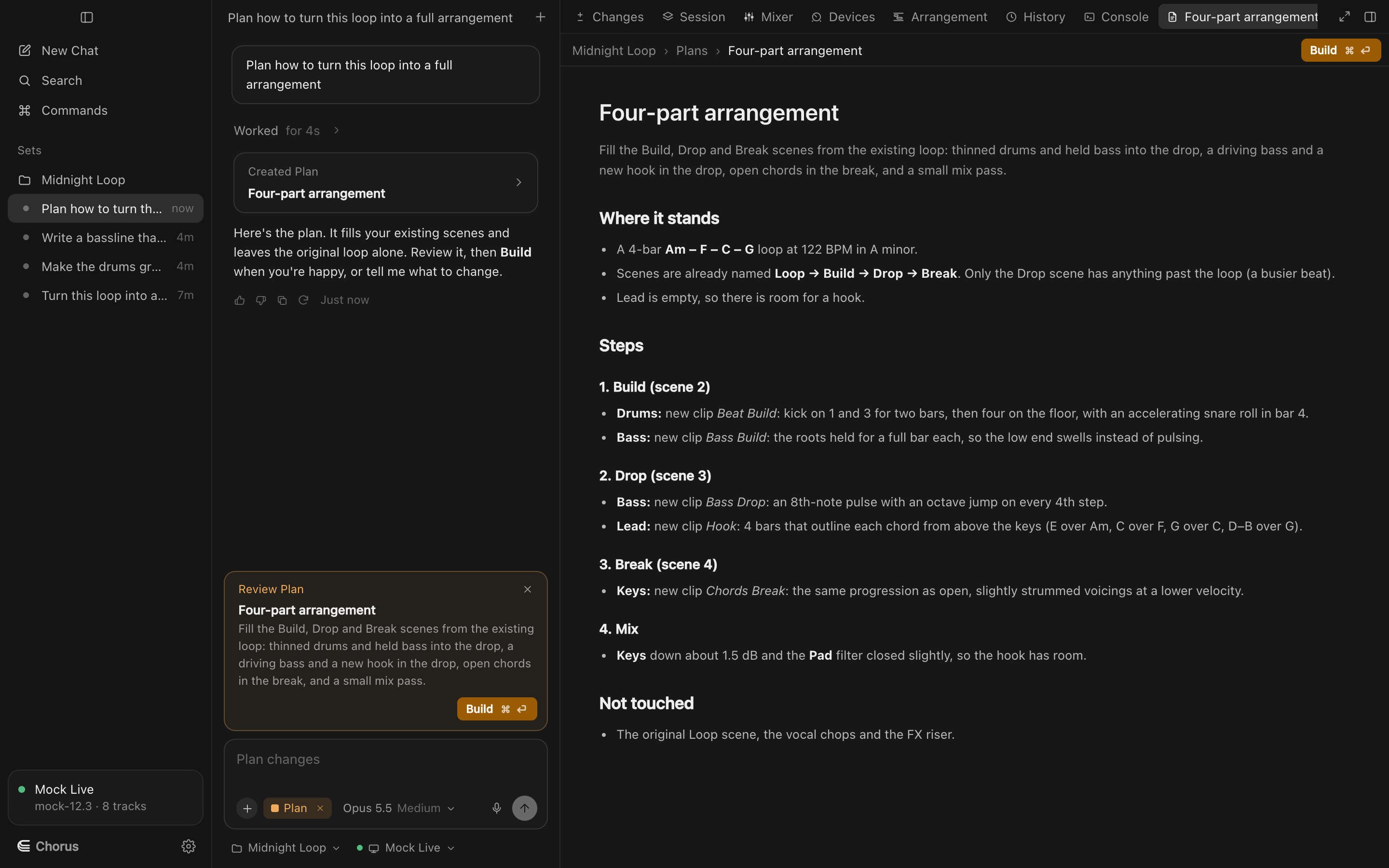
Build
One press, the whole song. Build stages every placement and locator as a proposal. Apply, and the clips land in the arrangement exactly where the plan says.
Build with ⌘⏎
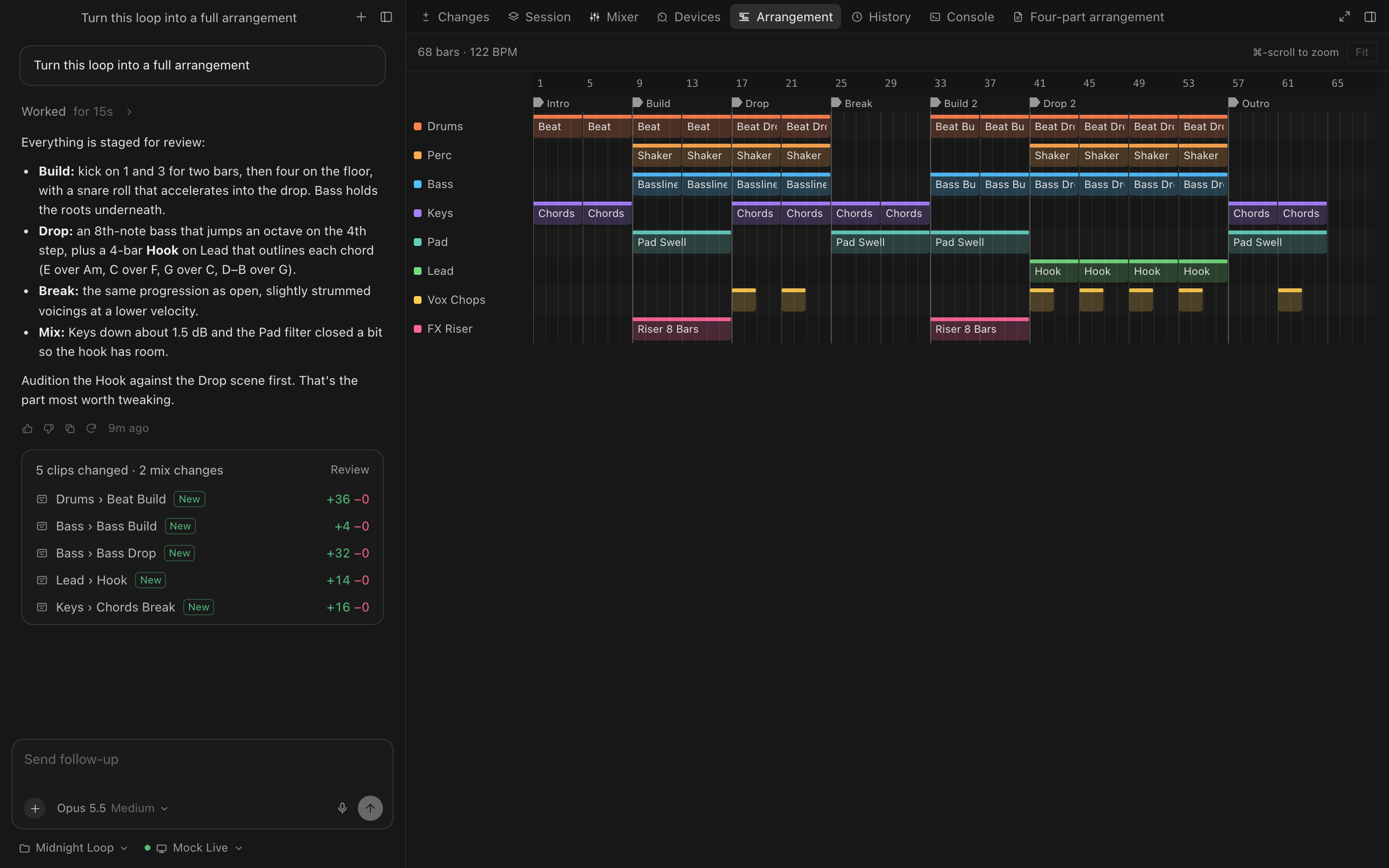
How building works
Never overwrites
Chorus only places clips into empty arrangement time. Anything that wouldn't fit is skipped and reported.
Plays like Session view
A looped clip repeats to fill its section; a pickup plays only on the first copy; a one-shot clip plays once.
Locators for every section
Each section gets a locator at its first bar, named the way the plan names it.
Undo the whole build
The build is one History entry: undo removes every clip and locator it placed.
Try Chorus on your next session.
Free to download for macOS, for Ableton Live 12, Logic Pro 12 and FL Studio. Bring your own AI key.