
Edit the song, not just the loop.
Make the drop longer, cut the second break, clear bars on a few tracks. Clips (Logic's regions) and locators (Logic's markers) move together on every track, and Undo puts each one back exactly.
See the song as it will be. Proposed clips show as ghosts, removed ones struck through, and moved sections as shifted bands, with locators along the top.
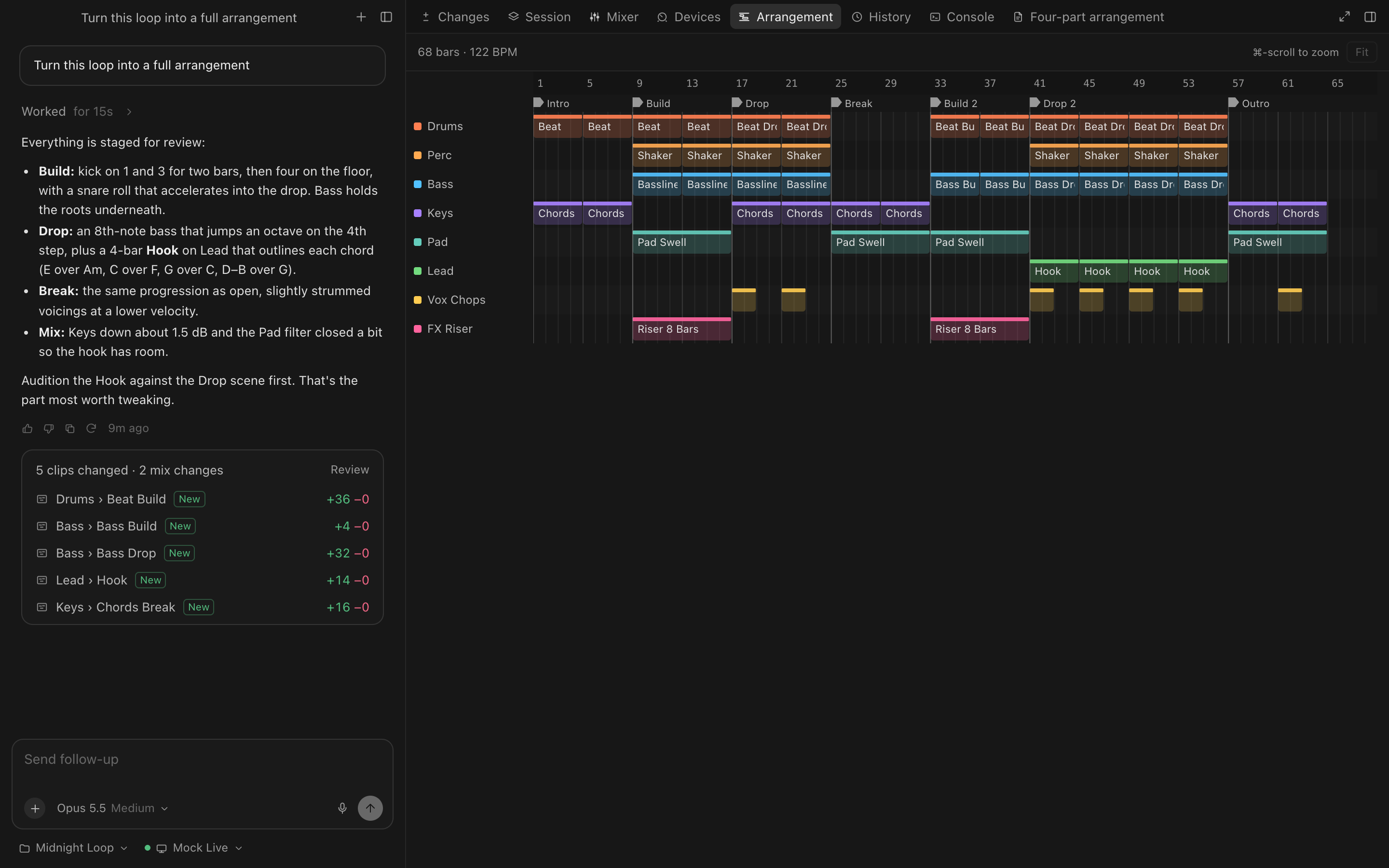
Arrangement edits
Insert bars
Everything from a bar onward moves right on all tracks, locators included.
Remove bars
Cut a range out of the song; what follows closes the gap.
Clear a range
Remove the clips in some bars on some tracks; the time stays.
Locators
Add, rename and remove section markers.
Exact undo
Chorus only removes clips it can put back exactly, so every edit undoes cleanly.
Automation is flagged
Neither Live's control surfaces nor Logic's Event List move track automation; Chorus tells you when an edit would leave automation behind.
In Logic
Inserting bars, markers and placing copies of a region all work. Chorus won't delete Logic regions it can't put back, so removing bars over existing regions is yours to do in Logic.
Try Chorus on your next session.
Free to download for macOS, for Ableton Live 12, Logic Pro 12 and FL Studio. Bring your own Anthropic key.