
Turns the knobs you'd turn.
Volumes, pans, sends and any device or plug-in parameter, including devices inside Live's racks. Each proposed move shows the current value and the new one, in your DAW's own units.
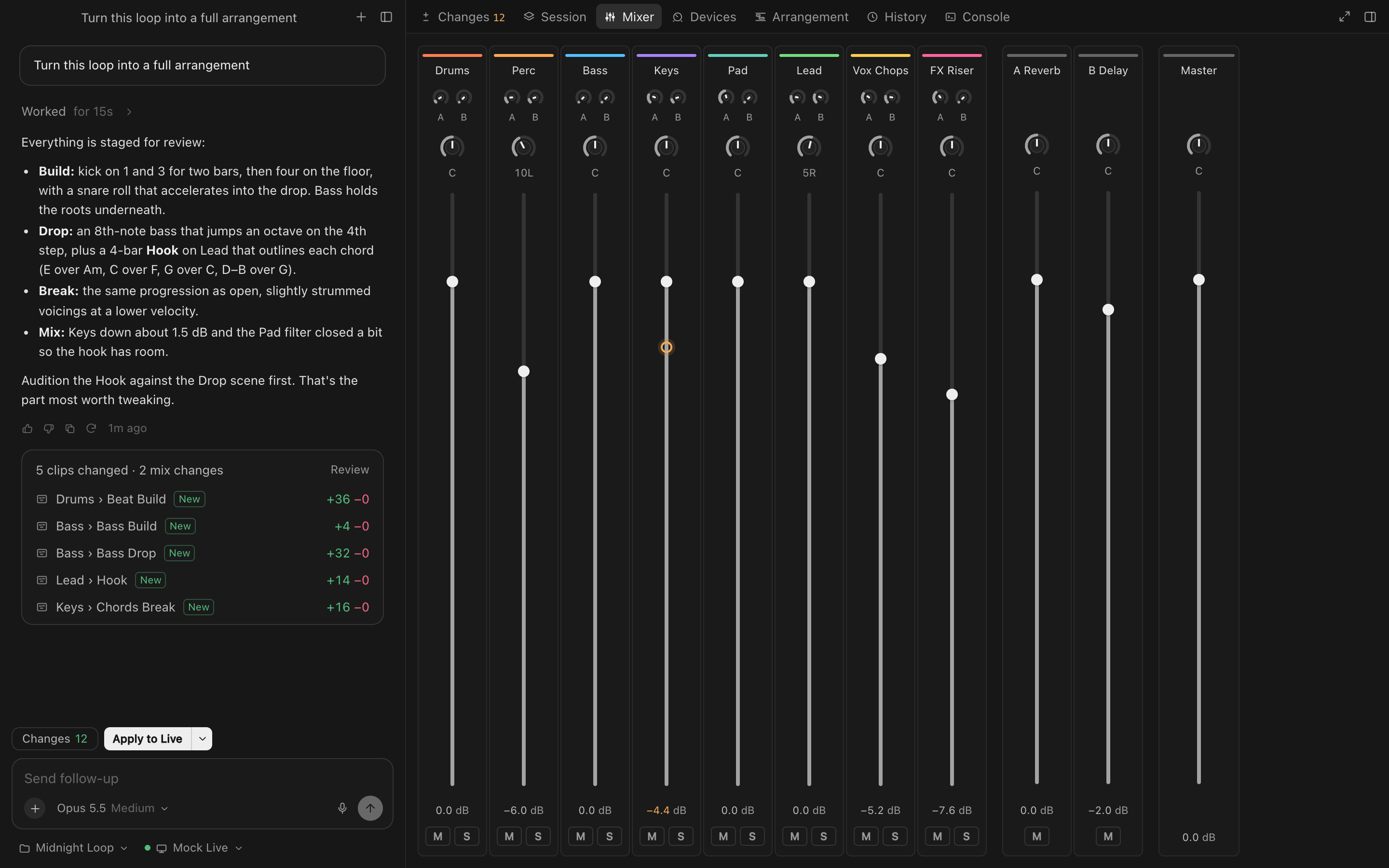
The mix, at a glance. Faders, pans, sends and returns for every track, with proposed moves as ghosts. Move a fader here and it moves in your DAW.
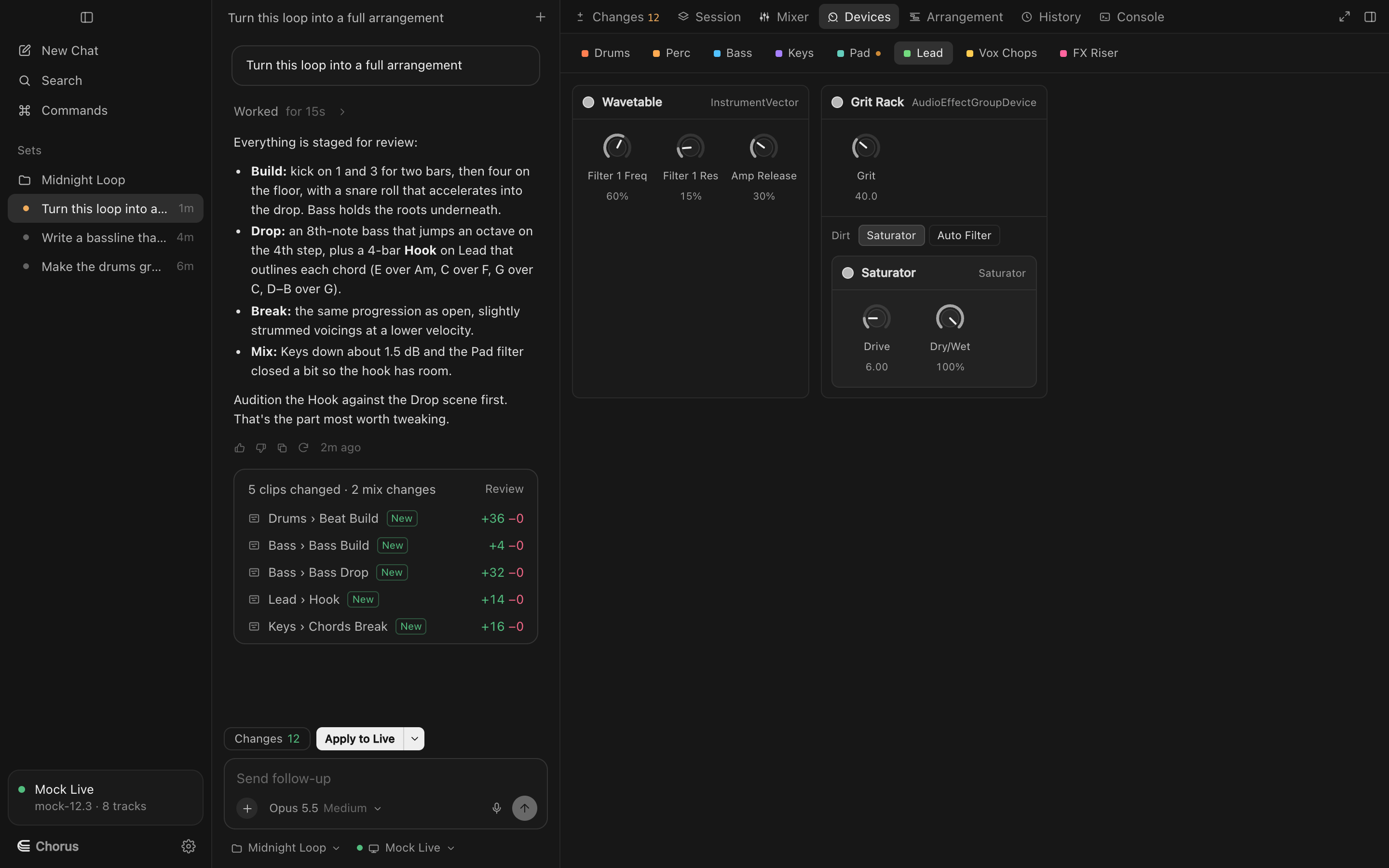
Inside the rack, too. Every device on a track as a card of knobs. Racks open to their chains, so Chorus can reach the Saturator three levels down.
What it can move
Tracks, returns, master
Volume, pan, mute, solo and names; return and master levels.
Sends
Every send to every return, shown in dB.
Device parameters
Any parameter Live exposes, with its real range and steps. In Logic, every plug-in parameter in its Controls view, menus and switches included.
Racks (Live)
Devices inside Instrument, Audio Effect and MIDI Effect racks, by chain.
Drum Racks (Live)
Chorus reads your kit's pad names, so it writes to the right pads.
Your DAW's labels
Values read as your DAW shows them: 1.20 kHz, −6.0 dB, Analog Clip.
Logic's sends and auxes
Sends to your aux returns, set in dB; adding a send where a track has none.
Try Chorus on your next session.
Free to download for macOS, for Ableton Live 12, Logic Pro 12 and FL Studio. Bring your own Anthropic key.